
Strengthening Security, Meeting Compliance, and Reducing Risk Across Linux Environments
In today’s threat landscape, Linux servers power everything from enterprise applications and cloud infrastructure to financial systems and critical business services. While Linux is widely recognized for its stability and security, it is not immune to cyber threats, misconfigurations, insider risks, or compliance violations.
Organizations often assume that deploying Linux automatically provides a secure environment. In reality, security depends on how systems are configured, monitored, maintained, and audited over time. This is where a comprehensive Linux Security Compliance Audit becomes essential.
A Linux security audit helps organizations identify security weaknesses, ensure regulatory compliance, verify system hardening measures, and reduce the likelihood of breaches. Combined with a professional Linux Vulnerability Scanning Service, organizations can proactively detect and remediate risks before attackers exploit them.
In this guide, we will walk through the complete Linux compliance auditing process, explain common challenges, discuss the tools security professionals use, and show how businesses can build a sustainable compliance strategy.
Why Linux Security Compliance Audits Matter
Cybersecurity is no longer just an IT concern. Regulatory bodies, customers, business partners, and insurance providers increasingly require proof that systems are secure and compliant.
A Linux compliance audit evaluates whether servers and operating systems align with security standards, internal policies, and industry regulations.
Without regular audits, organizations may face:
- Security breaches
- Data theft
- Regulatory fines
- Service disruptions
- Reputational damage
- Failed customer security assessments
Many successful cyberattacks occur because organizations overlook basic security controls such as outdated packages, weak authentication methods, excessive permissions, or insecure network configurations.
Regular auditing helps identify these weaknesses before they become incidents.
Understanding Linux Compliance Requirements
Before beginning an audit, organizations must understand which compliance frameworks apply to their environment.
Depending on the industry, common frameworks include:
PCI DSS
Organizations processing payment card information must secure Linux systems against unauthorized access and continuously monitor security controls.
ISO 27001
Focuses on information security management systems and risk management practices.
HIPAA
Healthcare organizations must ensure patient data confidentiality, integrity, and availability.
SOC 2
Requires organizations to implement effective security controls for protecting customer information.
CIS Benchmarks
Provide detailed security hardening recommendations specifically for Linux operating systems.
NIST Cybersecurity Framework
Offers guidance on identifying, protecting, detecting, responding to, and recovering from cybersecurity incidents.
Each framework may have different requirements, but they all emphasize continuous monitoring, risk assessment, vulnerability management, and security auditing.
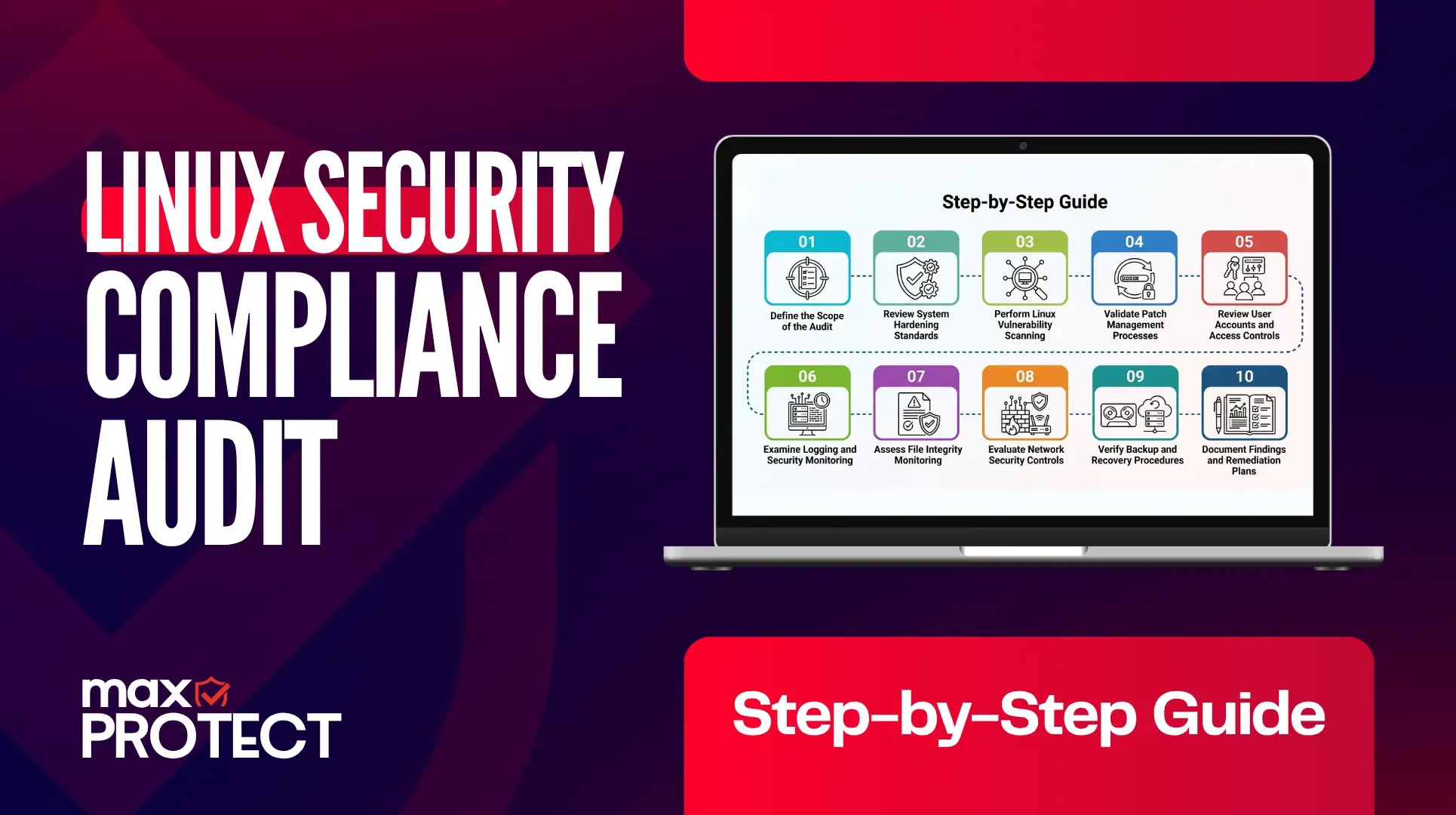
Step 1: Define the Scope of the Audit
One of the most common mistakes organizations make is launching an audit without defining its scope.
The first step is identifying:
- Linux servers
- Virtual machines
- Cloud instances
- Containers
- Critical applications
- Databases
- Network segments
Security teams should create a complete inventory of Linux assets before beginning any assessment.
Questions to answer include:
- Which systems store sensitive data?
- Which servers are internet-facing?
- Which systems support critical business functions?
- Which environments are subject to compliance requirements?
A clearly defined scope prevents gaps and ensures audit resources are focused on the most critical systems.
Step 2: Review System Hardening Standards
Linux hardening forms the foundation of compliance.
During this stage, auditors compare existing configurations against security baselines such as CIS Benchmarks or internal standards.
Common hardening checks include:
- SSH security settings
- Root login restrictions
- Password policies
- Multi-factor authentication
- File permissions
- Kernel security settings
- Firewall configurations
- Service management
- User account controls
Many organizations discover unnecessary services running on production servers that increase their attack surface.
Removing these services reduces risk and simplifies compliance management.
Step 3: Perform Linux Vulnerability Scanning
A Linux Vulnerability Scanning Service is a critical component of every compliance audit.
Vulnerability scanning identifies:
- Missing security patches
- Outdated software
- Known CVEs
- Configuration weaknesses
- Exposed services
- Unsupported operating systems
Modern attackers frequently exploit publicly known vulnerabilities because organizations fail to apply updates promptly.
Security teams should perform authenticated scans whenever possible because they provide deeper visibility into system weaknesses.
Popular vulnerability scanners include:
- Nessus
- OpenVAS
- Qualys
- Rapid7 InsightVM
- Greenbone Security Manager
The goal is not simply generating a vulnerability report but understanding the actual risk posed by each finding.
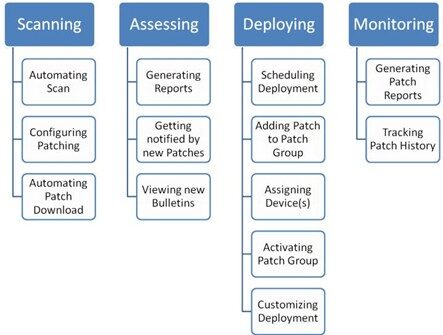
Step 4: Validate Patch Management Processes
Patch management is often one of the most scrutinized areas during compliance audits.
Auditors typically examine:
- Patch deployment timelines
- Security update procedures
- Emergency patching capabilities
- Testing environments
- Documentation records
Linux administrators should demonstrate that critical vulnerabilities are identified and remediated within established service-level agreements.
Organizations lacking formal patch management processes frequently struggle during compliance assessments.
A mature patching strategy significantly improves audit outcomes while reducing cyber risk.
Step 5: Review User Accounts and Access Controls
Identity and access management is another key audit area.
Excessive privileges remain one of the leading causes of security incidents.
Auditors typically review:
- User accounts
- Administrative privileges
- Service accounts
- SSH access
- Password policies
- MFA implementation
- Dormant accounts
Organizations should follow the principle of least privilege, ensuring users receive only the access required for their responsibilities.
Regular account reviews help prevent privilege creep and reduce insider threats.
Step 6: Examine Logging and Security Monitoring
Compliance frameworks increasingly require organizations to demonstrate continuous monitoring capabilities.
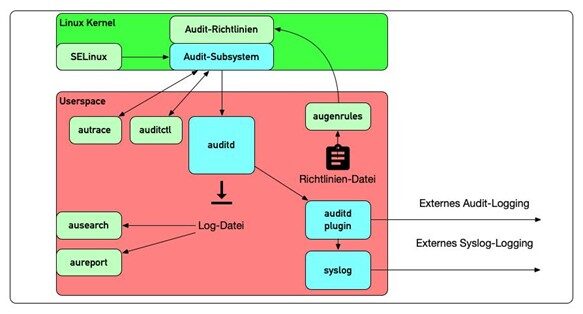
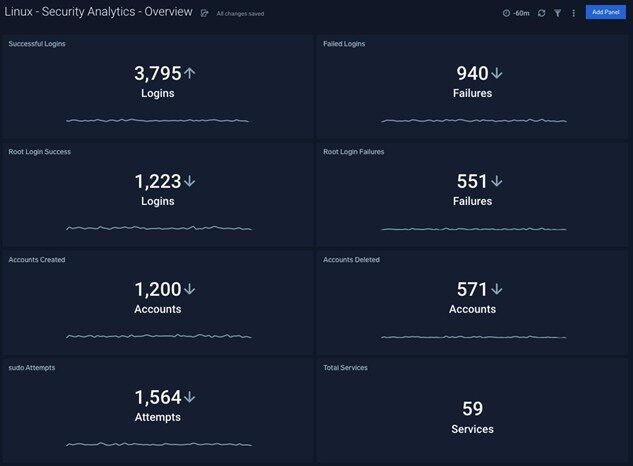
Linux systems generate valuable security data through:
- Syslog
- Auditd
- Authentication logs
- Application logs
- Kernel logs
- Security tools
Auditors evaluate whether logs are:
- Collected
- Retained
- Protected
- Monitored
- Reviewed regularly
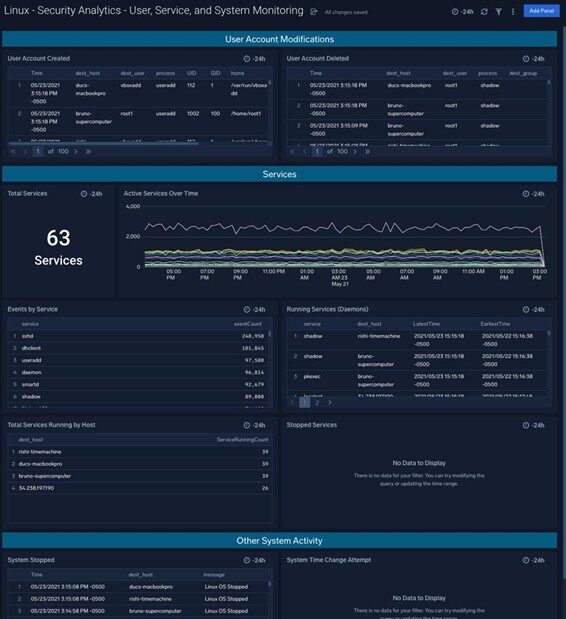
Modern organizations often forward Linux logs to SIEM platforms such as IBM QRadar, Splunk, Wazuh, Elastic Security, or Microsoft Sentinel.
Effective monitoring helps detect:
- Unauthorized access attempts
- Privilege escalation
- Malware activity
- Configuration changes
- Suspicious user behavior
Step 7: Assess File Integrity Monitoring
Many compliance standards require organizations to monitor critical system files for unauthorized modifications.
File Integrity Monitoring (FIM) helps detect:
- Malware infections
- Unauthorized changes
- Insider threats
- Compliance violations
Critical files commonly monitored include:
- System binaries
- Authentication files
- Configuration files
- Security policies
- Application directories
Solutions such as Wazuh, OSSEC, Tripwire, and Auditd are frequently deployed to support compliance requirements.
Step 8: Evaluate Network Security Controls
Linux security extends beyond the operating system itself.
Auditors review network protections including:
- Firewall configurations
- Segmentation controls
- Remote access security
- VPN implementations
- Intrusion detection systems
- Intrusion prevention systems
Proper segmentation limits lateral movement if attackers compromise a system.
Organizations should ensure that sensitive Linux servers are isolated from less trusted networks whenever possible.
Step 9: Verify Backup and Recovery Procedures
Compliance audits often reveal organizations have backups but rarely test them.
Auditors typically examine:
- Backup schedules
- Retention policies
- Recovery procedures
- Encryption practices
- Disaster recovery plans
A backup is only valuable if it can be restored successfully.
Testing recovery procedures demonstrates operational resilience and compliance readiness.
Step 10: Document Findings and Remediation Plans
An audit without remediation provides limited value.
After completing assessments, organizations should categorize findings based on risk.
Common categories include:
Critical Findings
Require immediate remediation because they present a high risk of compromise.
High Findings
Significant vulnerabilities requiring rapid attention.
Medium Findings
Potential security weaknesses that should be addressed through planned remediation.
Low Findings
Minor issues with limited immediate risk.
A remediation roadmap should include:
- Assigned ownership
- Target completion dates
- Risk ratings
- Validation requirements
Documentation demonstrates accountability and supports future audits.
Common Linux Compliance Audit Challenges
Many organizations encounter recurring obstacles during compliance reviews.
One challenge is maintaining visibility across hybrid environments that span on-premises infrastructure, cloud platforms, and containerized workloads.
Another issue is configuration drift. Systems that were originally hardened often become less secure over time due to operational changes.
Limited staffing can also create difficulties, especially when security teams are responsible for managing hundreds or thousands of Linux servers.
Automated compliance monitoring and vulnerability scanning help address these challenges while improving audit readiness.
Best Practices for Continuous Compliance
Compliance should not be treated as an annual event.
Organizations that achieve strong security outcomes typically implement continuous compliance programs.
Successful strategies include:
- Automated vulnerability scanning
- Continuous configuration monitoring
- Centralized logging
- Security information and event management
- File integrity monitoring
- Regular patch management
- Routine access reviews
- Security awareness initiatives
Continuous monitoring allows organizations to identify issues as they occur rather than waiting for the next formal audit.
How Linux Vulnerability Scanning Services Support Compliance
Professional Linux Vulnerability Scanning Services provide organizations with deeper visibility into their security posture.
Benefits include:
- Early threat detection
- Compliance validation
- Risk prioritization
- Continuous monitoring
- Reduced attack surface
- Improved audit readiness
By integrating vulnerability scanning into ongoing security operations, organizations can maintain compliance while significantly reducing cyber risk.
Final Thoughts
A successful Linux Security Compliance Audit is much more than a regulatory exercise. It is an opportunity to strengthen defenses, identify weaknesses, improve operational resilience, and protect critical business assets.
By combining security hardening, continuous monitoring, access control reviews, logging analysis, and a robust Linux Vulnerability Scanning Service, organizations can create a proactive security program that satisfies compliance requirements while defending against modern cyber threats.
The most secure organizations are not those that perform audits once a year they are the ones that continuously assess, monitor, and improve their Linux environments. Regular compliance audits transform security from a reactive process into a strategic advantage, helping businesses stay protected, compliant, and prepared for the evolving threat landscape.