
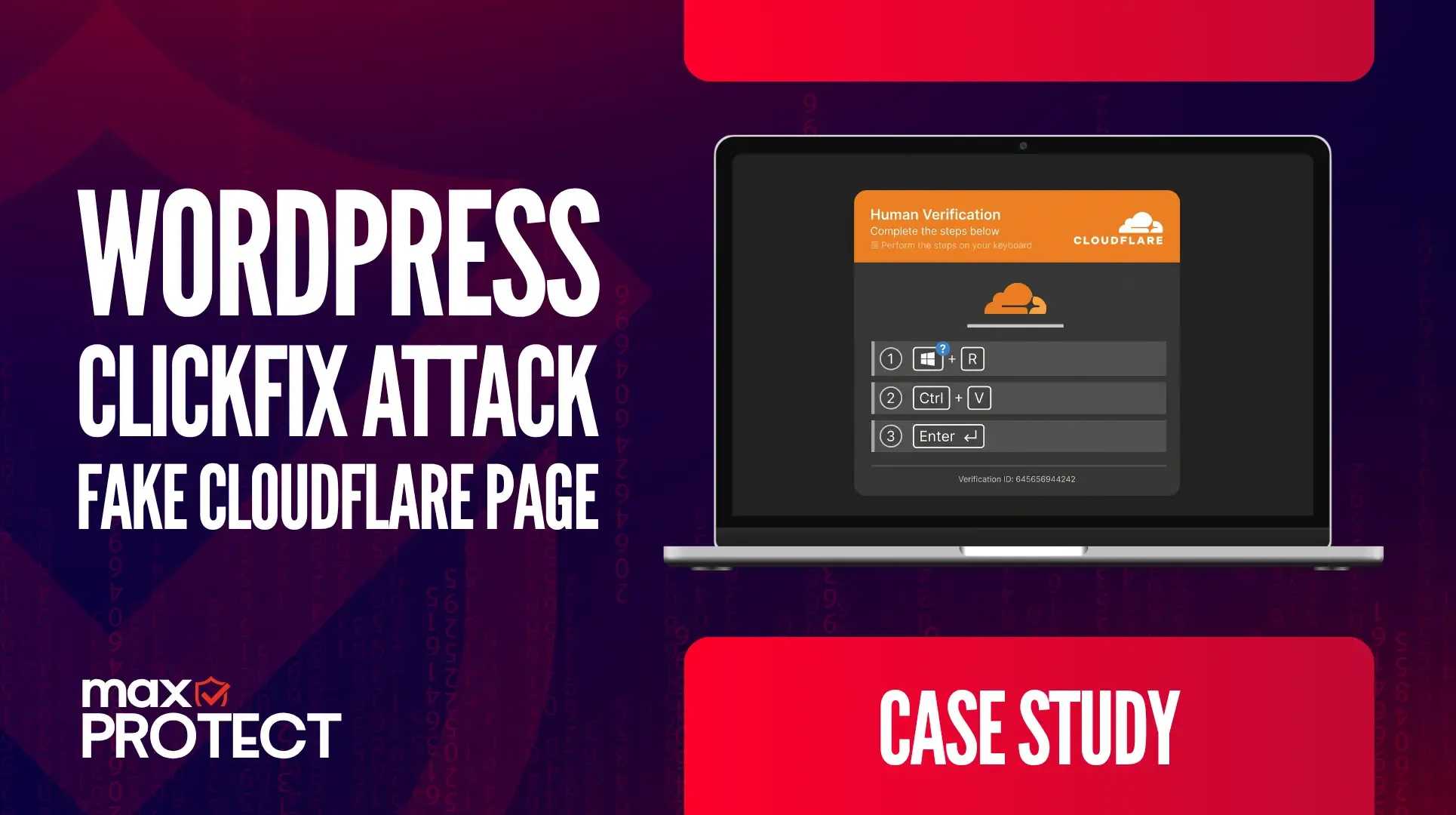
Scenario
A client’s WordPress site was compromised and modified to display a fake Cloudflare verification page to visitors. This page mimicked a legitimate bot-check screen but was, in fact, the delivery mechanism for a social-engineering technique known as ClickFix (also called clipboard hijacking), a fast-growing method attackers use to trick users into manually infecting their own systems.
Technical Analysis: How the ClickFix Attack Works
ClickFix is not a traditional drive-by download or malicious file attachment. Instead, it relies on convincing a user to carry out the infection themselves, step by step, using nothing but their own keyboard. The attack unfolds in three stages:
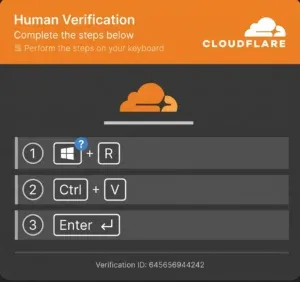
- The lure. The visitor sees what appears to be a standard Cloudflare or CAPTCHA verification prompt, a familiar, low-friction screen that most users are conditioned to click through without a second thought.
- The silent clipboard write. Clicking the fake verification checkbox triggers a background script that silently copies a malicious command, often PowerShell, directly onto the user’s system clipboard. No file is downloaded and no browser warning is triggered, because nothing has actually been transferred to disk yet.
- The manual execution. The prompt then instructs the user to complete three simple keyboard actions, framed as a “human verification” step:
- Step 1 (Win + R): Opens the native Windows Run dialog box.
- Step 2 (Ctrl + V): Pastes the hidden malicious command into the dialog box.
- Step 3 (Enter): Executes the command on the host system.
Because the user is the one who opens the Run dialog, pastes the command, and presses Enter, the malicious code is executed directly by the operating system rather than through the browser.
Why This Technique Is Threatening
Standard web-safety filters and browser security controls are built around detecting malicious downloads, scripts, or redirects, none of which occur in this attack chain until execution has already happened outside the browser entirely. This bypass is what makes ClickFix particularly effective against conventional defenses.
Following the three steps typically leads to the execution of infostealer malware, designed to capture stored credentials, browser session cookies, and sensitive financial data, or it can hand the attacker full control over the compromised system.
It is also important to note that the risk was not limited to the server itself. Any visitor who loaded the site while the fake verification page was live was exposed to the same attempt. Incidents like this carry a reputational and trust impact in addition to the technical one, since visitors have no way of knowing the page they interacted with was not a legitimate part of the site.
Detection and Response
The server hosting the WordPress site had no SIEM or EDR coverage. The injected page and the underlying compromise generated no alerts and were never flagged by any automated detection layer on the server itself.
The incident only came to light because the client reported being unable to access the site normally, which prompted a manual investigation rather than a security alert. Upon investigation, the WordPress site was found to be serving a fake Cloudflare-style verification page to visitors, consistent with a ClickFix injection rather than a standard defacement.
While manually reviewing the inaccessible site, a support team member encountered the fake verification page and briefly interacted with it, following the prompt as a typical user might, before recognizing it as malicious. Endpoint Detection and Response protection running on the support team’s own internal systems, separate from the compromised server, identified and blocked the attempted command execution before it could run, preventing any malicious activity on the analyst’s machine.
How to Stay Safe
- Recognize legitimate checks: Legitimate security and anti-bot verification services, such as Cloudflare Turnstile, reCAPTCHA, or hCaptcha, never require a user to execute keyboard shortcuts, open system command prompts, or paste code from the clipboard to prove their identity. Any prompt asking for this should be treated as malicious.
- Inspect the clipboard: Anyone who suspects they interacted with a page like this can open a plain text editor (such as Notepad) and paste (Ctrl + V) to check whether a command was silently copied without their knowledge.
- Rely on endpoint protection as a last line of defense: Because ClickFix bypasses browser-level and network-level filtering by design, endpoint detection capable of recognizing suspicious Run-dialog and PowerShell execution patterns is one of the few controls positioned to catch the attack at the point of execution, as it did in this incident.
Conclusion
This incident illustrates why ClickFix has become a fast-growing attack technique: it does not require attackers to defeat any browser or network security control directly, because it convinces the user to defeat those controls on the attacker’s behalf. The compromise of the WordPress site was the delivery vector, but the actual point of failure the technique targets is human trust in a familiar-looking verification prompt.
Just as significant is how long this went unnoticed. With no SIEM or EDR on the server itself, there was nothing in place to detect the compromise, the injected page, or any related malicious activity at the source. The issue only surfaced once it became disruptive enough to affect the client’s own access to their site.
The fact that this attempt was ultimately caught came down to EDR coverage on the support team’s internal systems, not any protection on the compromised server. This underscores two separate gaps worth addressing: the absence of monitoring on the hosting environment that allowed the compromise to persist undetected, and the value of endpoint-level detection as a last line of defense when that gap results in a real person encountering the attack directly. Alongside remediating the WordPress compromise itself, we recommend deploying SIEM/EDR coverage on the hosting environment and reinforcing user awareness of the ClickFix pattern specifically, since recognizing the technique before the keyboard shortcuts are performed remains the earliest and most reliable point of prevention.